Post-production
How to Choose a Video Codec: From First Export to Pro Pipeline
A plain-English guide to video codecs, containers, and how to pick the right one for every stage of your pipeline.
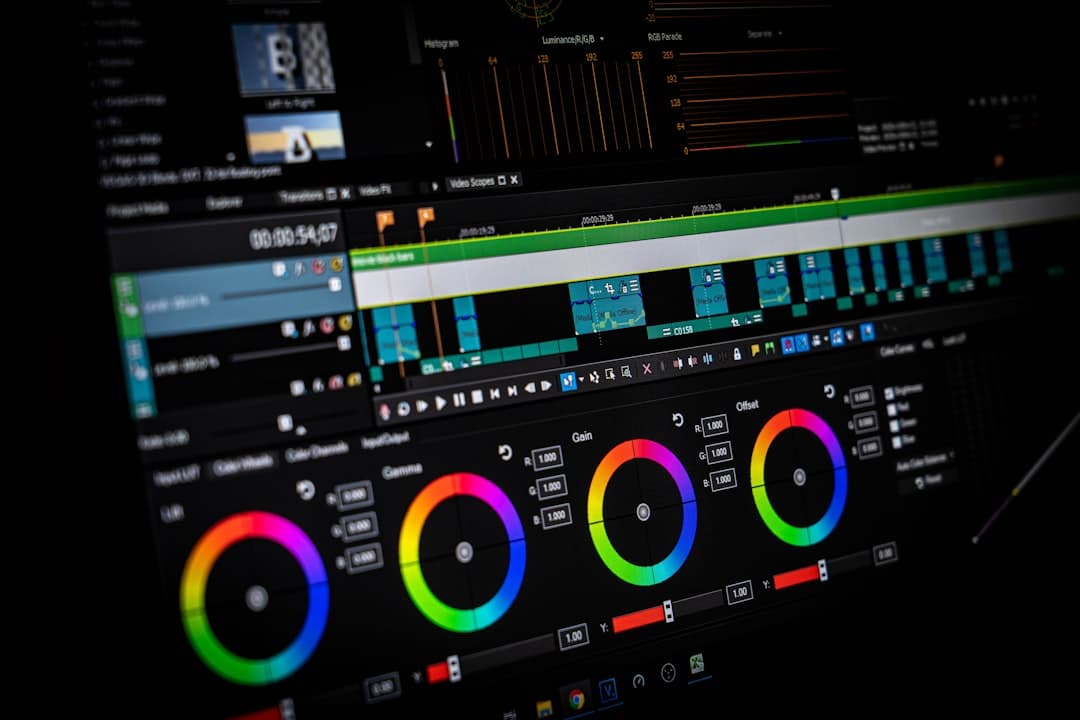
Photo by Nejc Soklič on Unsplash
-->
What is a video codec?
A codec — short for coder-decoder — is the software recipe that shrinks raw video into a manageable file and unshrinks it for playback. Every video file on Earth was encoded by a codec on the way in and decoded by a codec on the way out.
Why does compression matter? Raw uncompressed 4K video at 60fps runs about 7 GB per minute. A 90-minute feature would need over 600 GB of storage. Nobody ships that. Codecs use clever tricks — throwing away detail the eye can't see, referencing repeated data across frames, redistributing precision where it matters most — to make video small enough to store, edit, and stream.
There are two broad categories. Lossless codecs preserve every original pixel exactly, at the cost of huge files (rarely used in production). Lossy codecs discard information but do it strategically so the result looks nearly identical to a viewer. Almost every codec you'll encounter in professional work is lossy. The whole art of codec choice is picking the lossy codec whose specific tradeoffs match what you're trying to do.
Codec vs. container — the vocabulary trap
The single most common beginner mistake: confusing the file extension (.mov, .mp4, .mxf) with the codec inside. They are not the same thing.
A container is a wrapper. It holds the video codec, one or more audio codecs, subtitles, timecode, and metadata, and it tells the operating system how to open the file. Common containers include .mov (QuickTime), .mp4 (MPEG-4), .mxf (Material Exchange Format, used in broadcast), and .mkv (Matroska, used online).
A codec is what's inside the container doing the actual video compression.
Two consequences that trip people up:
- The same codec can live in different containers. H.264 is happily wrapped in
.mp4,.mov,.mxf, and.mkv. All four play the same H.264 video underneath. - The same container can hold different codecs. A
.movfile might contain ProRes, H.264, DNxHR, or even an uncompressed video track. You cannot tell from the extension alone.
When a client says "send me an MP4," they almost always mean "send me H.264 in an .mp4 container at a reasonable bitrate." When they say "send me a QuickTime," they usually mean "ProRes in a .mov container." Learn to read between the container-extension lines.
The four codec families
Every codec in professional use falls into roughly one of four buckets, defined by when in the workflow it's used.
Acquisition codecs run inside the camera. They write directly to the memory card during recording. The premium versions preserve as much sensor data as possible — RAW formats, high-bitrate log-encoded intermediates. Examples: ARRIRAW, Blackmagic RAW, RED R3D, Sony X-OCN.
Mezzanine (intermediate) codecs are what you transcode to before or during editing. They're built to be edit-friendly: every frame is independent (so scrubbing and cutting are cheap), and image quality is preserved for grading. Examples: ProRes 422 HQ, DNxHR HQX. Many modern acquisition codecs are edit-friendly enough that you skip this step entirely.
Editing codecs overlap heavily with mezzanine — the same ProRes and DNxHR files serve as intermediate storage and the working timeline codec in most modern NLEs. On slower systems, they may also serve as the "proxy" codec: a low-resolution stand-in that you cut against and swap out for full-quality files at export time.
Delivery codecs are your final output for the client or the audience. They prioritize the smallest file size that still looks good. H.264 dominates web delivery; H.265 and AV1 are gaining ground for streaming; ProRes and DNxHR still rule broadcast masters.
The same physical codec can serve multiple roles. ProRes 4444 XQ is common as an acquisition codec on the Alexa Mini LF and as a mezzanine/delivery codec on the way out. What matters is intent, not identity.
The major codecs, and where each fits
H.264 / AVC
The world's most common video codec. Every phone, every YouTube video, every Zoom call. Uses Long GOP compression — most frames are compressed by referencing neighbors, which makes files tiny but editing more expensive. Bit depth is usually 8-bit; some higher-tier variants support 10-bit.
- Best for: web delivery, client review copies, uploads to YouTube/Vimeo/social
- Bitrates: ~10–100 Mbps depending on resolution and quality
- Weakness: not great for grading (8-bit, chroma-subsampled), painful to edit natively at higher resolutions
H.265 / HEVC
H.264's successor. Roughly 40–50% smaller files at the same visual quality, or better quality at the same size. Increasingly the delivery standard for 4K streaming. Requires more CPU to decode; older systems struggle. Supports 10-bit and higher color depths natively.
- Best for: 4K streaming, HDR delivery, storage-constrained archival
- Weakness: still needs powerful hardware for smooth playback, licensing is a mess
AV1
The newest open-source challenger. Roughly 30% smaller than H.265 at comparable quality. YouTube and Netflix are shifting toward it. Painfully slow to encode without hardware acceleration; playback support is now widespread.
- Best for: future-proofed web delivery, especially at 4K+
- Weakness: encoding is very slow without dedicated hardware
Apple ProRes family
Apple's post-production family. All I-frame (each frame independent — easy to edit). Excellent quality across the range. The .mov container is standard.
- ProRes 422 Proxy — small, for offline editing
- ProRes 422 LT — light, for offline editing at slightly better quality
- ProRes 422 — 4:2:2, 10-bit, the mainstream broadcast quality
- ProRes 422 HQ — same 4:2:2 10-bit but higher bitrate; the de facto delivery master format
- ProRes 4444 — 4:4:4 chroma, 12-bit, plus alpha channel for VFX
- ProRes 4444 XQ — highest-quality 4:4:4, for demanding grading + VFX pipelines
- ProRes RAW / ProRes RAW HQ — raw acquisition codec, supported by Atomos and some cameras
Avid DNxHD / DNxHR
Avid's answer to ProRes; the standard in traditional broadcast post. DNxHD is HD-only; DNxHR is the modern resolution-independent successor. Wrapped in either .mov (QuickTime) or .mxf (Media Composer's native container).
- DNxHR LB (Low Bandwidth) — proxy quality
- DNxHR SQ (Standard Quality) — 8-bit 4:2:2, everyday editing
- DNxHR HQ / HQX — high quality; HQX adds 12-bit for grading headroom
- DNxHR 444 — 12-bit 4:4:4 for finishing and VFX
Blackmagic RAW, R3D, ARRIRAW, CinemaDNG
Camera-specific RAW formats. Each captures sensor data before any Bayer demosaicing, giving colorists maximum flexibility. Files are large. Different post tools have different levels of native support:
- Blackmagic RAW — Blackmagic cameras. Efficient. Playable in Resolve without transcoding.
- REDCODE RAW (R3D) — RED cameras. Full playback support in Premiere and Resolve.
- ARRIRAW — ARRI Alexa cinema line. Uncompressed; enormous files.
- CinemaDNG — Open standard, occasionally seen in older Blackmagic and drone footage.
Comparison table
| Codec | Compression | Typical bit depth | Chroma | Primary use |
|---|---|---|---|---|
| H.264 | Long GOP | 8-bit | 4:2:0 | Web delivery |
| H.265 | Long GOP | 10-bit | 4:2:0 | 4K streaming |
| AV1 | Long GOP | 10-bit | 4:2:0 | Streaming |
| ProRes 422 HQ | I-frame | 10-bit | 4:2:2 | Broadcast delivery, edit |
| ProRes 4444 XQ | I-frame | 12-bit | 4:4:4 + α | High-end grading + VFX |
| DNxHR HQX | I-frame | 12-bit | 4:2:2 | Avid post, grading |
| ProRes RAW | RAW | 12-bit | RAW | Acquisition |
| Blackmagic RAW | RAW | 12-bit | RAW | Acquisition |
| ARRIRAW | RAW | 12-bit | RAW | Cinema acquisition |
Sony's codec ecosystem — a dedicated section
Sony deserves its own section because the Sony codec family is wide, deep, and touches every stage of the pipeline. If you're shooting on a Sony cinema body — VENICE 2, BURANO, FX9, FX6, FX3, FX30, or FR7 — you're picking from Sony's own codecs before you touch anything else. Getting this choice right early saves enormous grief later.
The XAVC family
XAVC is Sony's professional recording codec family, built on H.264 (and, more recently, H.265). It comes in several flavors:
- XAVC-I (Intra-frame) — every frame independent, like ProRes. Excellent for editing and grading. Bigger files. This is the default professional choice on most Sony bodies at 4K.
- XAVC-L (Long GOP) — smaller files, more compressed. Great for long-form documentary shoots where card capacity matters more than post-production headroom.
- XAVC-HS — the newer H.265-based variant. Same or better quality as XAVC-I at roughly 40% smaller files. Requires modern hardware for smooth playback but is where Sony's roadmap points.
- XAVC-S / XAVC-S-I — a simplified variant found on prosumer / mirrorless Sony bodies (FX3, FX30, mirrorless α lineup). Wrapped in
.mp4instead of.mxf. Functionally similar to XAVC-L / XAVC-I but with a lighter metadata footprint.
X-OCN (Original Camera Negative)
Sony's raw-lite family, used primarily on VENICE, VENICE 2, and BURANO. X-OCN is visually raw — you get the same grading flexibility as a full raw codec — but at roughly one-third the file size. Three variants:
- X-OCN XT — highest quality, used when nothing less will do
- X-OCN ST — standard, the default cinema choice on VENICE 2
- X-OCN LT — lightest; the practical default on BURANO
MPEG HD 422
The legacy broadcast codec that still shows up on older Sony XDCAM bodies and in some MXF broadcast workflows. Not something you'd choose fresh in 2026, but you'll see it in archival footage and older-camera acquisition.
Which Sony body records what
- VENICE 2 — X-OCN ST / LT / XT, XAVC-I, plus ProRes 4444 XQ via optional AXS-R7 recorder
- BURANO — X-OCN LT (internally), XAVC-I, XAVC-HS
- FX9 — XAVC-I 4K, XAVC-L, plus raw output over 12G-SDI to an external Atomos or similar
- FX6 — XAVC-I 4K, XAVC-L, XAVC-HS; raw over 12G-SDI to an external recorder
- FX3 / FX30 — XAVC-S 4K, XAVC-S-I HD, XAVC-HS 4K; raw over HDMI to an Atomos recorder for ProRes RAW
- FR7 — XAVC-I 4K/HD, XAVC-L, XAVC-HS 4K
Choosing within the Sony ecosystem
If you're shooting a cinema project on VENICE 2, X-OCN ST is the default — you keep grading flexibility without drowning in file size. Switch to XAVC-I when you know you won't grade aggressively and need to move faster in post.
On BURANO, X-OCN LT is the practical default for most cinema work; XAVC-I is the answer when you need faster turnaround.
On FX9 / FX6 / FR7, XAVC-I 4K is your workhorse. Only jump to XAVC-HS if storage is tight and your NLE + hardware handle H.265 comfortably.
On FX3 / FX30, XAVC-S-I HD or XAVC-HS 4K covers 95% of use cases. If you need raw for grading-intensive work, plug into an Atomos and record ProRes RAW externally.
The same logic that guides ARRI (LogC → LogC 4K, Alexa MXF via ProRes) or RED (R3D compression ratio) applies inside Sony's ecosystem — you're just picking the right point on Sony's efficiency-vs-flexibility curve. Every choice here has a mirror on the other cinema-camera systems.
Technical concepts that actually matter
You don't need to become a codec engineer, but five concepts underpin every choice.
I-frame vs. Long GOP. An I-frame codec (ProRes, DNxHR, XAVC-I) stores every frame independently. You can cut, scrub, and grade any frame without decoding neighbors. Files are large. A Long GOP codec (H.264, H.265, XAVC-L) stores keyframes every few seconds, then delta-frames that reference them. Files are smaller. Scrubbing and cutting mid-shot force the decoder to reconstruct multiple frames, which is why native Long GOP editing feels sluggish on older systems.
Chroma subsampling. A codec stores luminance (brightness) and chrominance (color) separately. 4:4:4 stores full-resolution color for every pixel. 4:2:2 halves the color resolution horizontally. 4:2:0 halves it in both directions. Human vision is more sensitive to luminance than color, so 4:2:0 looks nearly identical to 4:4:4 for viewing — but for chroma keying, aggressive color grading, and VFX, the missing color detail shows up as ragged edges and banded gradients.
Bit depth. 8-bit stores 256 values per color channel; 10-bit stores 1,024; 12-bit stores 4,096. Higher bit depth means smoother gradients (skies, skin tones, shadow rolloff) and more headroom for grading. If you're grading log footage, 10-bit is the minimum — 8-bit log grades band immediately.
Bitrate. How much data the codec allocates per second. Higher bitrate = higher quality (assuming the codec is capable of using it). CBR (constant bitrate) locks the rate; VBR (variable bitrate) spikes it up during busy scenes and dips it during simple ones for the same average.
Color space. Rec.709 for HD/web, Rec.2020 or DCI-P3 for wide-gamut HDR delivery. Log profiles (S-Log3, LogC, V-Log) are wider still but require post-transformation. Your codec choice interacts with color space — a delivery codec that only supports Rec.709 can't carry an HDR grade.
Choosing by use case
Scenario 1: Broadcast client delivery
Client asks for: "ProRes 422 HQ, 1080p, Rec.709, stereo audio, timecode."
Action: Grade in your NLE, export straight to ProRes 422 HQ in a .mov container. Verify timecode, verify audio channel routing, deliver. Nothing exotic.
Scenario 2: YouTube upload
Client asks for: "Whatever looks good online, keep it under 10 GB."
Action: Export H.264, 1080p or 4K, ~15–35 Mbps. YouTube will re-encode it to their own AV1/H.264/H.265 anyway, so there's no benefit to over-provisioning bitrate. Long GOP is fine here.
Scenario 3: Sony walkthrough — VENICE 2 → color-graded feature
Acquisition: X-OCN ST on the VENICE 2.
Editing: Import into DaVinci Resolve. Native X-OCN playback is smooth on any Studio Resolve setup with a competent GPU; no transcoding needed. Cut in Resolve's edit page or roundtrip to Premiere with X-OCN proxies.
Grading: X-OCN in a color-managed timeline (DaVinci Wide Gamut / Intermediate), grade freely, apply LUTs or ACES ODT for delivery.
Master: Render to ProRes 4444 XQ for archival. Render additional deliverables from that master: ProRes 422 HQ for broadcast, H.264 for review.
Scenario 4: Sony walkthrough — FX6 → fast-turn commercial
Acquisition: XAVC-I 4K on the FX6. Enough color depth for grading, native to Sony's ecosystem, plays well in every NLE.
Editing: Native XAVC-I in Premiere or Resolve. Modern hardware handles it fine.
Grading: Grade in-timeline. XAVC-I is 10-bit 4:2:2, which handles moderate grading well but has less headroom than X-OCN. Don't try to pull hidden detail out of shadows you crushed on set.
Delivery: H.264 for the client. Done.
Scenario 5: Editing pipeline for a small team
Everyone works on modest hardware. Transcode acquisition footage to a proxy codec (ProRes 422 Proxy, DNxHR LB, or the NLE's own proxy format). Cut against the proxies, reconnect to source at export time. Your machines stop suffering, your storage bill drops, your team stops complaining about lag.
Scenario 6: Long-term archive
Master to ProRes 422 HQ or DNxHR HQX. Both are open enough to survive as playback support persists. Avoid archiving in a proprietary raw format unless you're keeping the camera manufacturer's decoder along with the footage.
NLE compatibility notes
Adobe Premiere Pro. Broad native support: H.264, H.265, ProRes (playback on both macOS and Windows), DNxHD/DNxHR, RED R3D, ARRIRAW (with plugin), Blackmagic RAW (with plugin), all XAVC variants, X-OCN (with plugin from Sony). Plays well with almost anything.
DaVinci Resolve. Native to Blackmagic RAW, R3D, X-OCN, ARRIRAW, ProRes (macOS full, Windows via Studio license), DNxHR. Handles H.264/H.265 fine but many pros still transcode heavy Long GOP footage for smoother scrubbing.
Final Cut Pro. ProRes is the native language. H.264 and H.265 work well. XAVC and DNxHR require rewrapping to the ProRes family via Compressor for best performance.
Avid Media Composer. Prefers DNxHD/DNxHR in MXF containers. Everything else typically gets transcoded to a DNx flavor at ingest. This friction is by design — Avid optimizes hard around DNx for editorial speed on longform work.
Common codec mistakes
- Delivering H.264 when the client asked for ProRes. They wanted ProRes for a reason — probably grading or broadcast QC. H.264 fails their spec even if it looks fine on your monitor.
- Editing native Long GOP off-card without transcoding. You'll fight scrubbing, freeze on cuts, and burn CPU. Either move to an SSD or transcode to an intermediate.
- Recording 8-bit Long GOP for something you'll grade heavily. The 8-bit color space bands immediately when you push shadows or fix white balance in post. Use 10-bit at minimum.
- Assuming
.movmeans ProRes. It might be H.264, DNxHR, or something else entirely. Check the actual codec inside. - Using H.265 for editing without transcoding on older hardware. H.265 decoding is CPU-hungry. If your machine is more than three or four years old, transcode to ProRes or DNxHR first.
- Assuming XAVC and X-OCN files play the same in every NLE. X-OCN specifically needs Sony's plugin in Premiere. Verify before you commit a delivery date.
- Choosing a raw codec because "raw is better." Raw is better if you'll actually use the flexibility. If you're grading lightly and finishing in a day, log-encoded intermediates give you 95% of the benefit at a fraction of the file size.
A decision framework
Before every codec choice, run five questions:
- What does the delivery spec require? Client spec wins every argument. Match it exactly.
- What's the acquisition camera's best codec that my post pipeline can handle? Highest quality your workflow can support without choking.
- What codec does my NLE prefer? Fighting your editor is expensive; matching its native format is cheap.
- What's my storage + backup budget? Raw and I-frame codecs multiply your storage costs. Make sure you actually need them.
- How aggressively am I grading? Aggressive grading demands 10-bit minimum, and 4:2:2 chroma or better. Light grading tolerates less.
Answer those five and you'll almost never make a bad codec choice.
TL;DR
- Acquisition: pick the highest-quality codec your camera and storage will support. If you'll grade heavily, favor RAW or a log-encoded I-frame codec (X-OCN, ProRes, ARRIRAW, R3D).
- Editing: match the acquisition codec if your NLE handles it natively. Otherwise transcode to a mezzanine codec (ProRes 422 HQ, DNxHR HQX).
- Delivery: match the client's spec exactly. H.264 for web, ProRes for broadcast masters, H.265 for 4K streaming, whatever the deliverable calls for.
- When in doubt: high-bitrate 10-bit I-frame beats low-bitrate 8-bit Long GOP for everything except final delivery to end viewers.
Next up on BOLD University: shooting log and color-managed workflows — the natural companion to codec choice, and the piece that determines how much grading headroom your codec's bit depth actually gives you.
More lessons
Browse all
Audio
Audio fundamentals for video
Why bad audio kills good footage — and how to capture clean sound on a small crew

Audio
Multi-track audio workflow for narrative
Capturing lavs, boom, ambience, and timecode reference cleanly on a multi-input recorder
Business & freelance
Showcasing your work online
A reel that gets calls back, a portfolio site that works, and the basics of being findable
Found this useful?
Bookmark BOLD University and share it with someone learning the craft. New lessons go up regularly.
Back to University