Camera & rigging
Multi-camera shooting
Matching color, syncing time, and managing the crew when you're running more than one camera
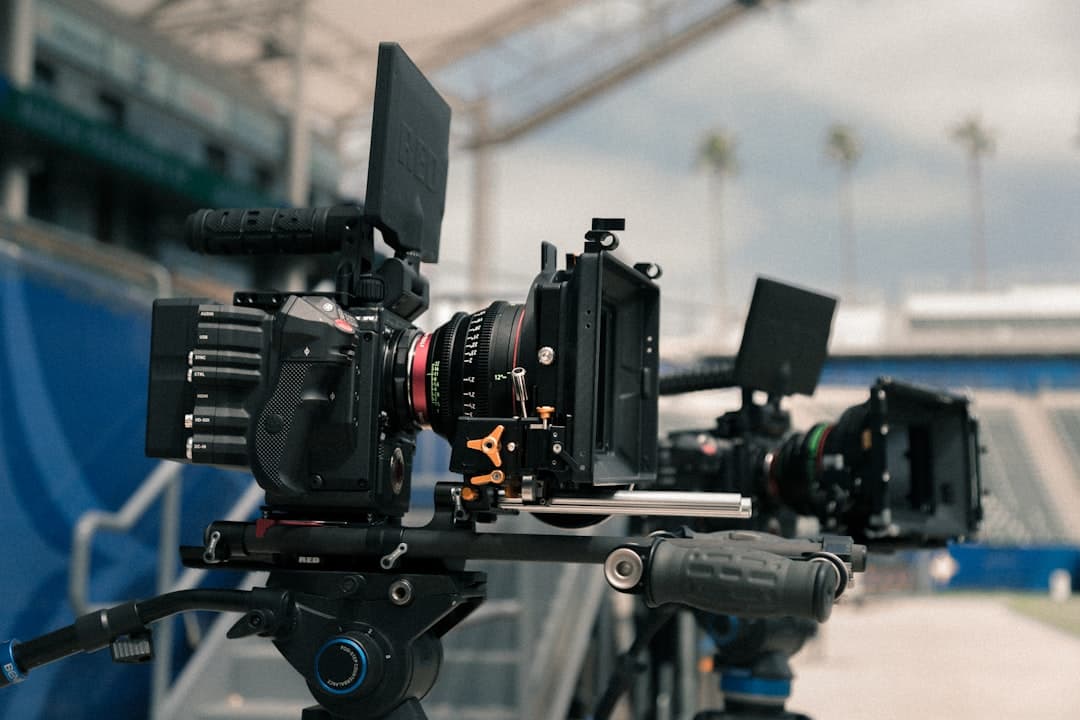
Photo by Jakob Owens on Unsplash
Why multi-cam exists
Some events only happen once. Live music, weddings, sports, panel discussions, interviews where you don't want to ask someone the same question twice. Multi-camera shooting captures multiple angles in a single take so you can cut between them in post — without forcing the subject to repeat themselves.
But multi-cam isn't just "set up two cameras." It introduces five new problems you didn't have with a single camera:
- Color matching — getting the cameras to produce the same image
- Time sync — lining the footage up in the timeline accurately
- Audio capture — usually one shared source, not one per camera
- Frame rate and shutter agreement — small mismatches cause flicker on cuts
- Crew coordination — who's running each camera and what is each one supposed to do
Solve those five and multi-cam saves you in post. Don't solve them and you'll spend the edit fixing problems instead of telling a story.
Color matching
Different camera models — and even two of the same model with different lens choices — capture color differently. If your A-cam (the primary, often the wide) is on a Sony FX9 and your B-cam (the close-up) is on a Canon C300, their out-of-the-box color science is noticeably different. Cuts between them will jolt the eye.
Three things to do:
1. Standardize the picture profile. Both cameras should record in the same color space and gamma. If you have time and skill, shoot Log (S-Log3, C-Log, V-Log, etc.) — flat-looking footage that gives you maximum flexibility in color grading. If you're shooting fast and not grading, shoot a matched Rec. 709 profile on both cameras.
2. Match white balance. Both cameras at the same Kelvin value, every shot. Don't let one camera auto-WB while the other is locked.
3. Charts and a colorist's eye. Shoot a color chart (Macbeth, Datacolor SpyderCHECKR) on both cameras under the same light at the start of each setup. In post, the colorist matches camera B's chart to camera A's chart, then applies that match to all of B's footage. This is how Hollywood reliably matches an Alexa to a RED in the same scene.
If you can't afford a full chart, shoot a gray card instead — even one second of a gray card at the start of each setup makes color matching dramatically easier in post.
Time sync
When you cut between cameras, the cuts have to land on exactly the right frame — and to do that, your editing software needs to know where in time each clip belongs.
Three approaches, ranked from amateur to pro:
1. Slate / clap (basic). Hold up a clapboard at the start of each take and clap it. In post, the clap is visible and audible in both camera tracks — line up the clap and you're synced. Free, works fine, doesn't scale to many cameras or all-day events.
2. Audio-driven sync (PluralEyes, Premiere, Resolve auto-sync). Most editing tools can auto-sync clips by matching their audio waveforms. Works if both cameras recorded the same audio (even crappy on-camera mics work for this purpose — they're sync references only, not for the final mix). Free, fast, doesn't work for silent rooms or cameras that didn't record audio.
3. Timecode sync (pro). Cameras feed each other a continuously running timecode signal — usually via a dedicated timecode box (Tentacle Sync, Deity TC-1, UltraSync) or via cabled jam-sync. The cameras record matching timecode and the editor links clips by their TC values. This is the only method that works reliably for all-day live events or shoots with cameras spread across a venue.
For a small wedding or two-camera interview: audio sync is fine. For a four-camera live music capture: timecode is non-negotiable.
Audio capture
The big rule of multi-cam audio: don't trust the camera mics for anything but sync.
Capture audio at a separate, dedicated recorder (Zoom F3 / F6, Sound Devices MixPre, Tascam DR-60D) that feeds proper mics (lavs on speakers, boom on the action, line outs from the music console for live music). In post, you'll discard the camera-mic audio and use the dedicated recorder's clean tracks.
This means:
- Slate every take so the dedicated recorder also gets the clap reference
- Make sure your sync method (timecode, audio waveform, or slate) works between the dedicated recorder and the cameras
For weddings and events, the dedicated recorder is usually fed by a wireless lav on the officiant or groom plus a line out from the venue's sound system. The cameras' on-board mics are just for sync.
Frame rate and shutter
All cameras in a multi-cam shoot should record at the same frame rate and same shutter speed. Mismatches cause two issues:
Flickering on cuts. If camera A is 24p and camera B is 30p, the motion blur signature differs and cuts feel jarring.
Conform problems. If you're delivering at 24p and one camera shot 30p, the editor has to re-time that footage. Doable, but lossy.
The standard for narrative is 24p (23.976 fps) with a 1/48s (or 180° equivalent) shutter. The standard for broadcast/live work is 30p or 60p depending on region. Lock the values on every camera before you roll, not in the middle of the day.
Crew roles
Even on a two-camera shoot, somebody is in charge of each camera. Common roles:
- Director. Calls coverage and shot priorities. Tells operators what they're getting.
- A-camera operator. Usually the wide/master shot. Holds the cleanest frame, often locked off.
- B-camera operator. Usually a moving or close-up camera. Reacts to action.
- DIT (Digital Imaging Technician) on bigger shoots — manages footage, color-checks live, backs up cards.
- Audio op. Runs the dedicated recorder, monitors levels, places mics.
On a small shoot you might be doing all of these yourself. That's fine — but it means you have to plan more before you roll, because you can't react in real-time to multiple camera issues at once.
Brief your operators specifically: "A-cam holds the wide, locked, don't move. B-cam, give me handheld close-ups on the bride, mid lens, follow her reactions." Without that brief, you'll get two identical shots and no coverage.
Common mistakes
- Mismatched picture profiles. Camera A is Rec. 709, camera B is S-Log. The cuts look like different days.
- Forgetting the slate. Audio sync fails (silent moment, hum, music covering speech) and now you're synthe-syncing by eye, frame-by-frame.
- No backup audio. Your dedicated recorder fails and the camera-mic audio is unusable because you assumed the recorder would work.
- Different shutter angles. Camera A 1/48, camera B 1/100. Different motion blur, visible cuts.
- Single battery plan. Multi-cam means multi-power-failures-waiting-to-happen. Carry triple the batteries you think you need.
What to practice this week
Find a friend's living room. Set up two cameras pointed at someone reading aloud. Use whatever picture profile is closest to identical on both. Slate every take with a clap.
In post, sync by audio waveform. Color-match by eye. Cut a 30-second edit between the two angles. You'll discover a half-dozen small mismatches — and learn each fix the hard way, which is the way that sticks.
Then do it again with two different cameras (a phone and a mirrorless, say). You'll feel the difference between matched cameras and mismatched ones, and start understanding why pro DPs care about the camera-bag inventory match.
More lessons
Browse all
Camera & rigging
Understanding depth of field
How to get the cinematic look — intentionally, not by accident
Camera & rigging
Building a camera rig that doesn’t fight you
Handheld, shoulder, and gimbal — what to build for what shoot
Audio
Audio fundamentals for video
Why bad audio kills good footage — and how to capture clean sound on a small crew
Found this useful?
Bookmark BOLD University and share it with someone learning the craft. New lessons go up regularly.
Back to University